SMTP Tool Integration
Configure credentials for the SMTP Tool to authenticate with email servers for sending emails.
Learn more about the SMTP Tool in the Native Tools documentation.
Prerequisites
- SMTP server hostname or IP address
- SMTP server port number
- SMTP server username and password
- An assistant with Tool Use configuration access
Setup Steps
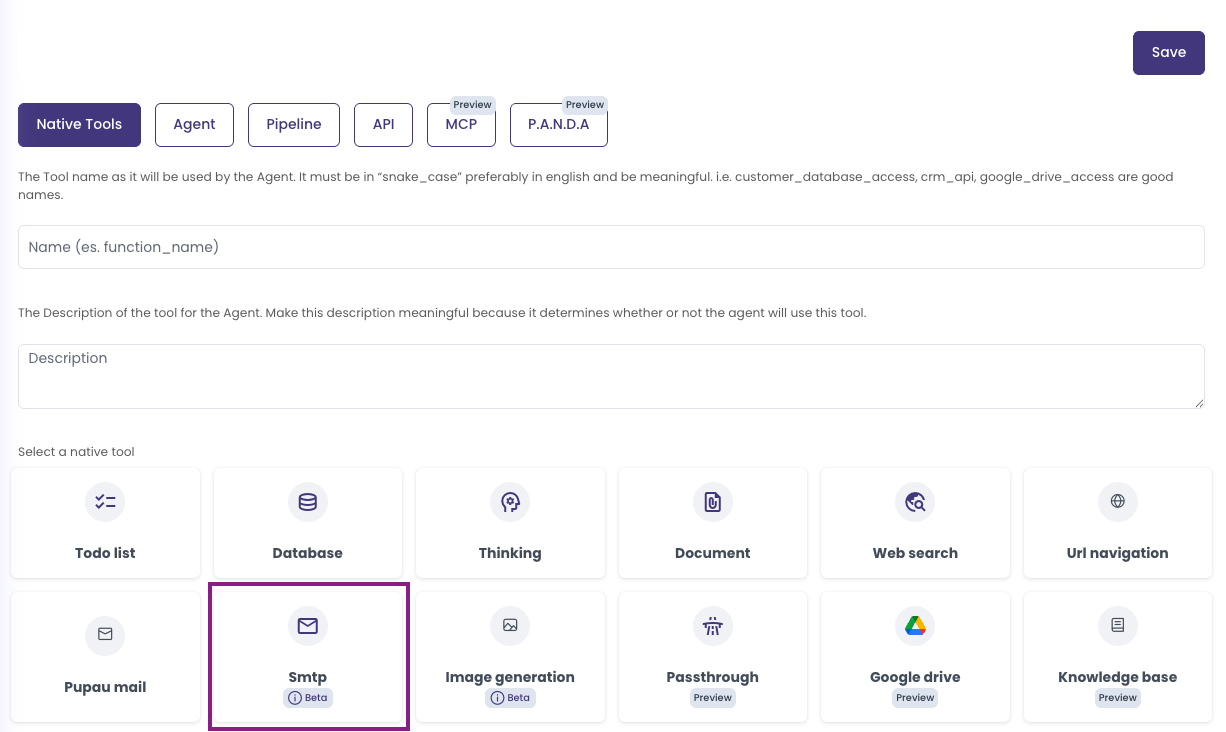
- Navigate to your assistant's Tool Use configuration
- Configure the SMTP tool for sending emails
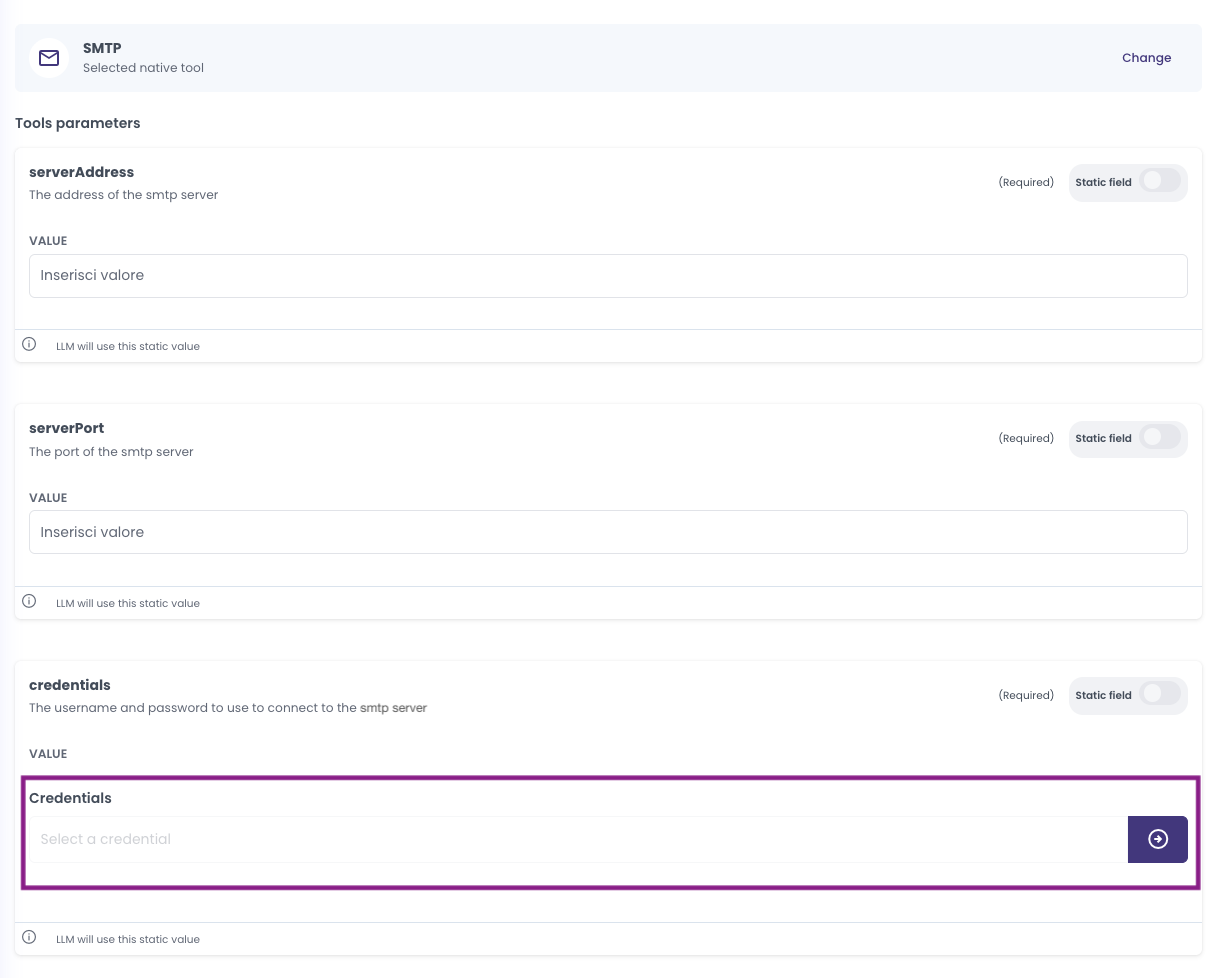
- In the SMTP tool configuration, you'll see the field for
credentials
- Click on the credentials field to select or create a credential. If you don't have any credentials yet, you'll see a message prompting you to create one
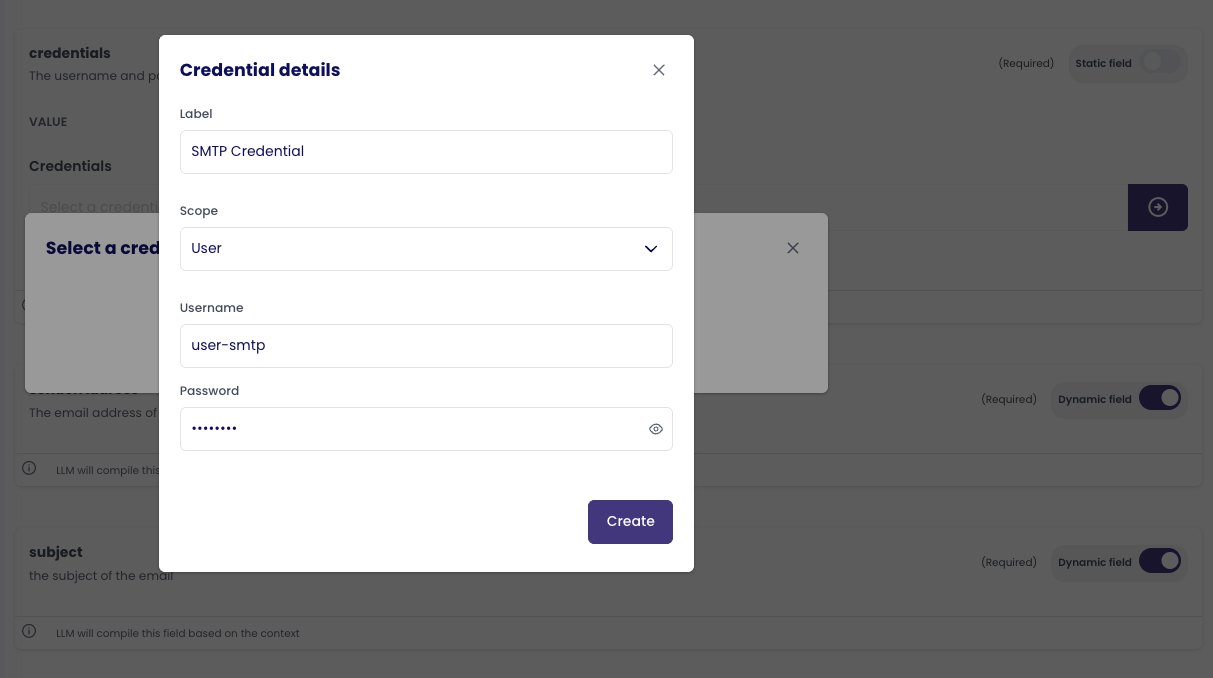
- Click "Create credential" to open the credential creation modal. Fill in the credential details:
- Label: Enter a descriptive name (e.g., "Company SMTP Server")
- Scope: Select "User" or "Company" (see Personal vs Organization Scopes Comparison for guidance)
- Username: Enter your SMTP server username
- Password: Enter your SMTP server password
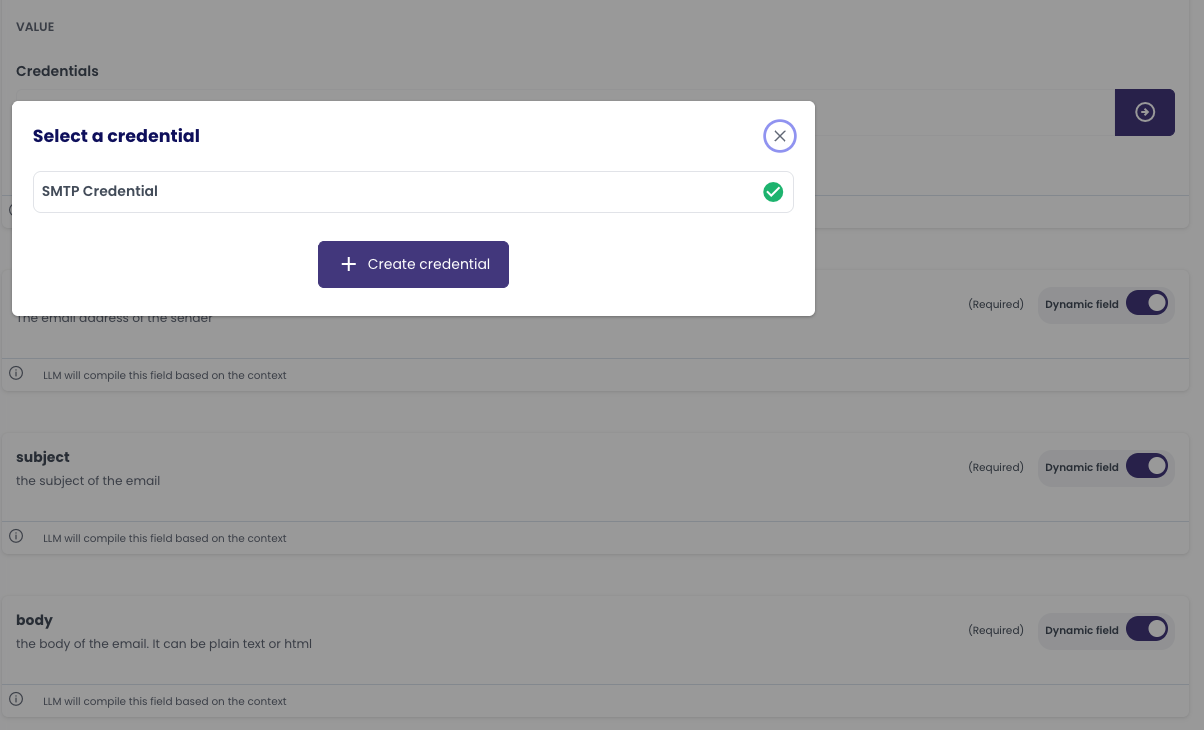
- Click "Create" to save the credential. The credential will now appear as selected in the credentials field
- Configure the SMTP server settings:
- Host: SMTP server hostname or IP address
- Port: SMTP server port number (commonly 25, 465, or 587)
- Encryption: Select the encryption method (TLS, SSL, or None)
- The SMTP tool will use this credential to authenticate with the email server
Credential Details
- Credential Type: Username/Password
- Supported Services: SMTP servers
- Token Refresh: Not applicable
- Scope: Can be Personal (
USER) or Organization (COMPANY) - see Personal vs Organization Scopes Comparison for guidance
Notes
- The credential is linked to both the agent that uses the tool and the specific SMTP tool configuration
- For updating credentials, you'll need to create a new credential and update references in your tool configuration
- Test the email sending functionality after setup to ensure proper authentication