Google Drive Knowledge Base
Set up Google Drive as a data source for your knowledge base using OAuth2 credentials.
Prerequisites
- A Google account with access to the Google Drive files/folders you want to include
- An assistant with Knowledge Base configuration access
Setup Steps
- Navigate to your assistant's Knowledge Base configuration
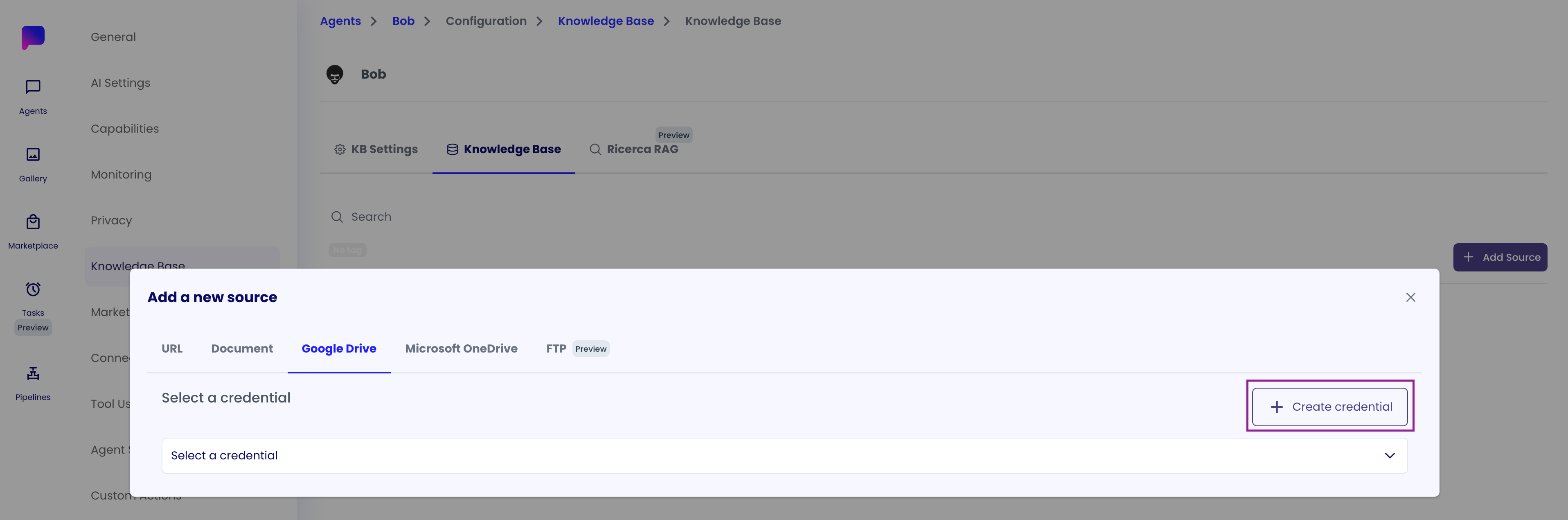
- Add a new data source and select "Google Drive"
- Click "Create Credential" or select an existing Google OAuth credential
- Authenticate with Google and grant necessary permissions
- Select the folders/files you want to include in your knowledge base
Credential Details
- Credential Type: OAuth2 Token
- Provider: Google
- Token Refresh: Automatic when expired (see Token Management for details)
- Scope: Can be Personal (
USER) or Organization (COMPANY) - see Personal vs Organization Scopes Comparison for guidance
Notes
- Google Drive credentials automatically refresh when expired, ensuring continuous access without user intervention
- The credential is linked to both the knowledge base data source and the agent that uses the knowledge base
- You can reuse the same Google Drive credential across multiple knowledge bases if needed