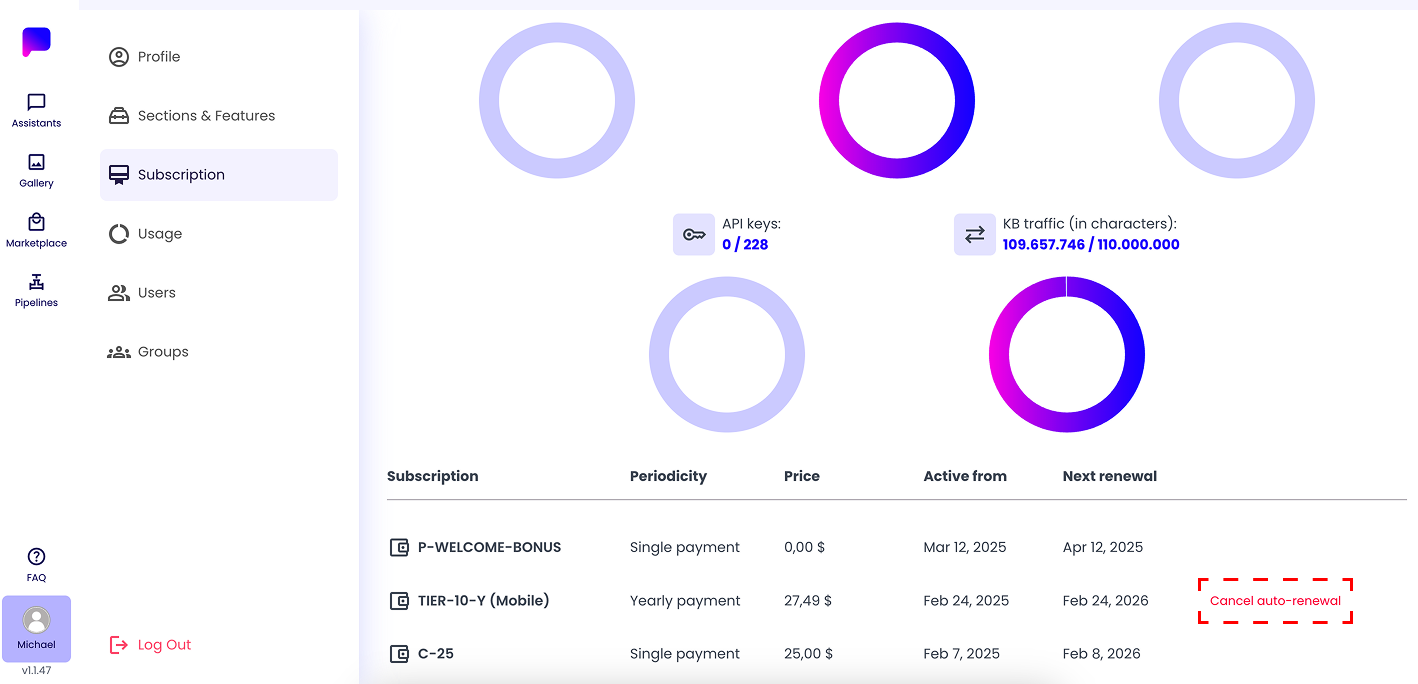
Cancel your Subscription Auto-Renewal
To disable the auto-renewal for your subscription through the web app, follow these steps:
- Navigate to your Profile page
- Access the Subscription tab
- In the Subscription section, you will see a list of all your active subscriptions, one-time payments, and any available bonuses
- Find the subscription you want to manage, and click the 'Cancel auto-renewal' button next to it
- A confirmation popup will appear, confirm your choice to stop the auto-renewal of the chosen subscription
After following these steps, your subscription will no longer automatically renew at the end of the current billing cycle.