MCP Server Management
To manage your MCP Server integration, navigate to your Account section and then to the "MCP Server" subsection.
Here you will be able to see the list of your MCP Servers integrated in Pupau, create new ones or edit and delete existing ones.
Creating an MCP Server integration
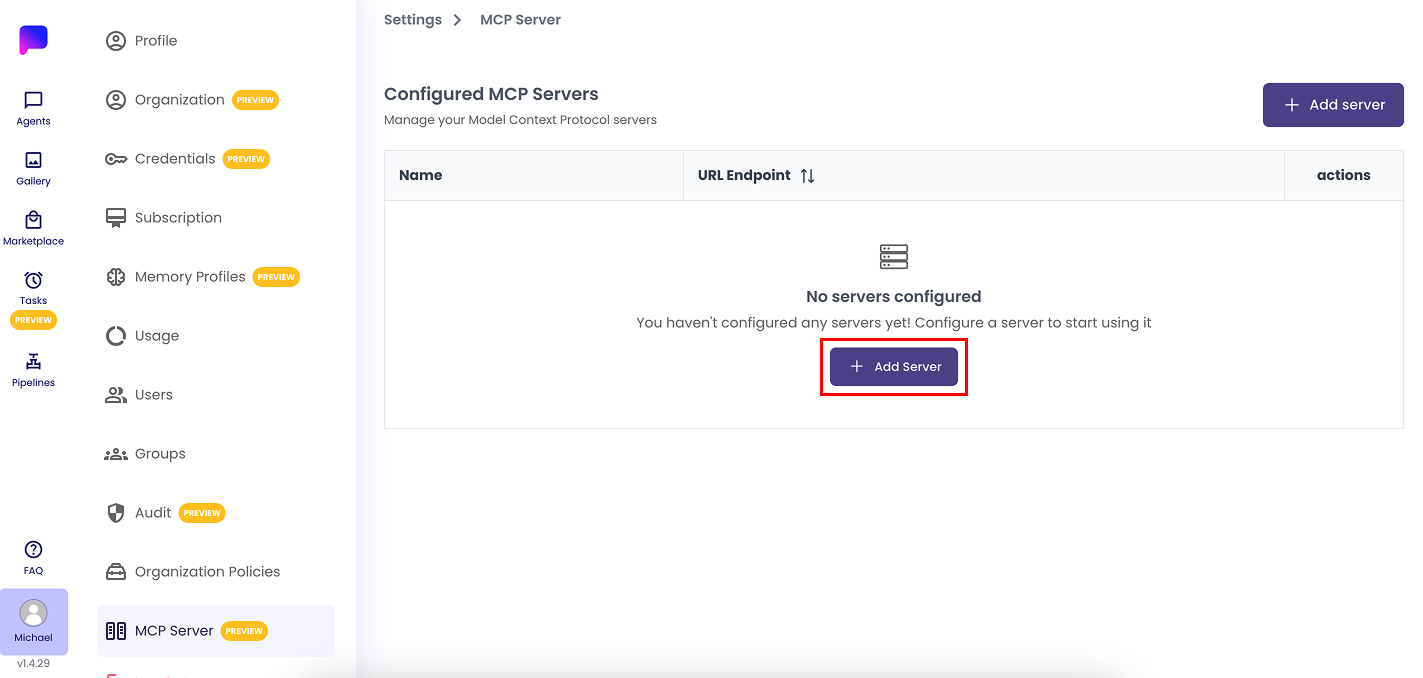
To integrate an MCP Server in Pupau click on the "Add Server" button
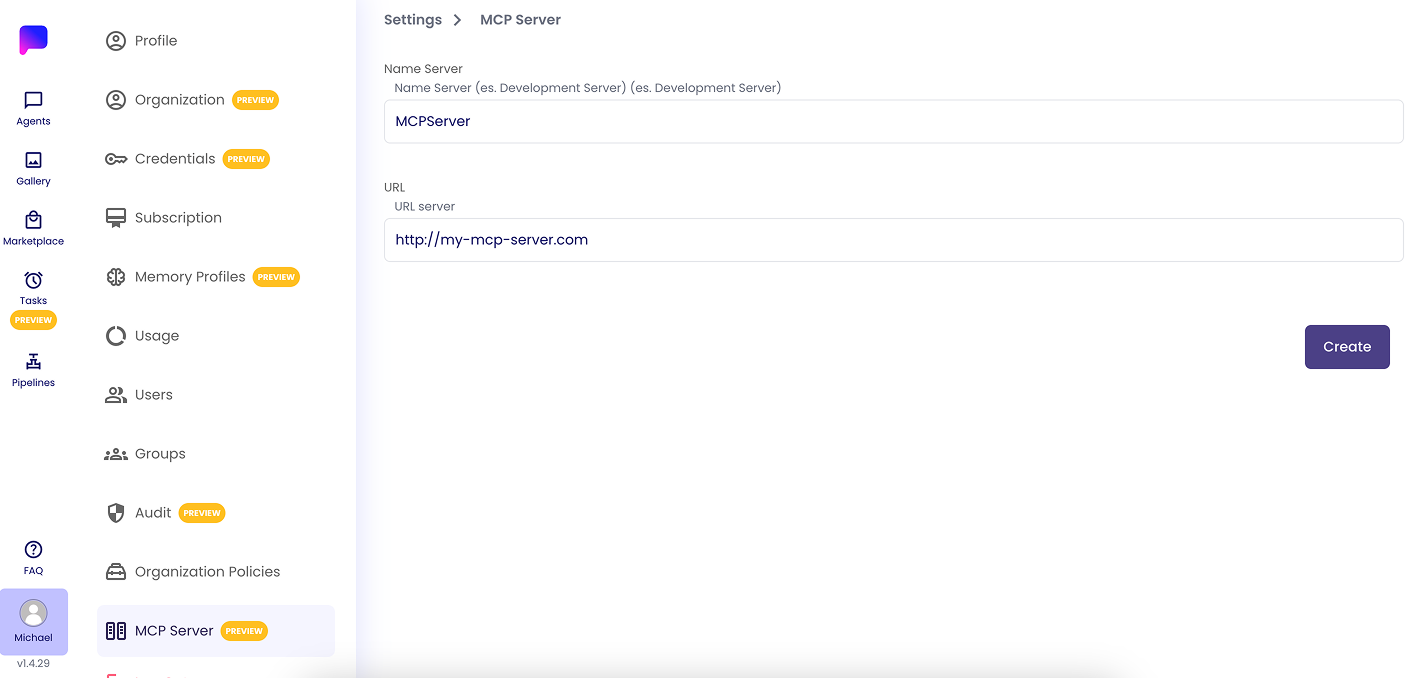
Afterwards choose a name of your choice for your integration, and the URL of your MCP Server. Click "Create" to confirm and integrate your MCP Server.
If the URL is a valid MCP server, there will be a list of tools under the section "Tools available".
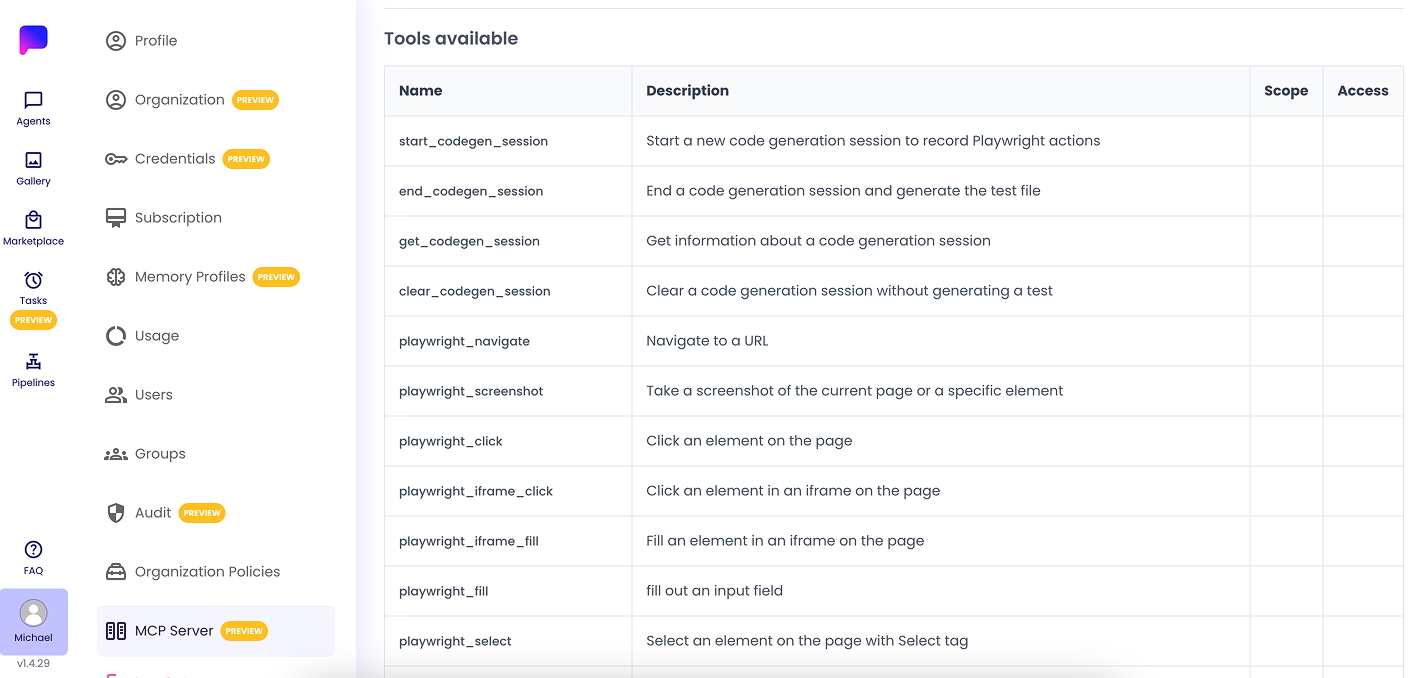
These tools will now be configurable inside the "Tool Use" section in your agents configuration. Follow the next guide to learn more.