Pipeline as a Tool
Pipelines are agentic workflows built inside Pupau and can be used as a tool from agents, enabling an agent to perform complex predefined operations within a single tool invocation. Using the Pipeline Tool Use, your Agent will call the desired pipeline when the right conditions are met.
How to Configure Pipeline as a Tool
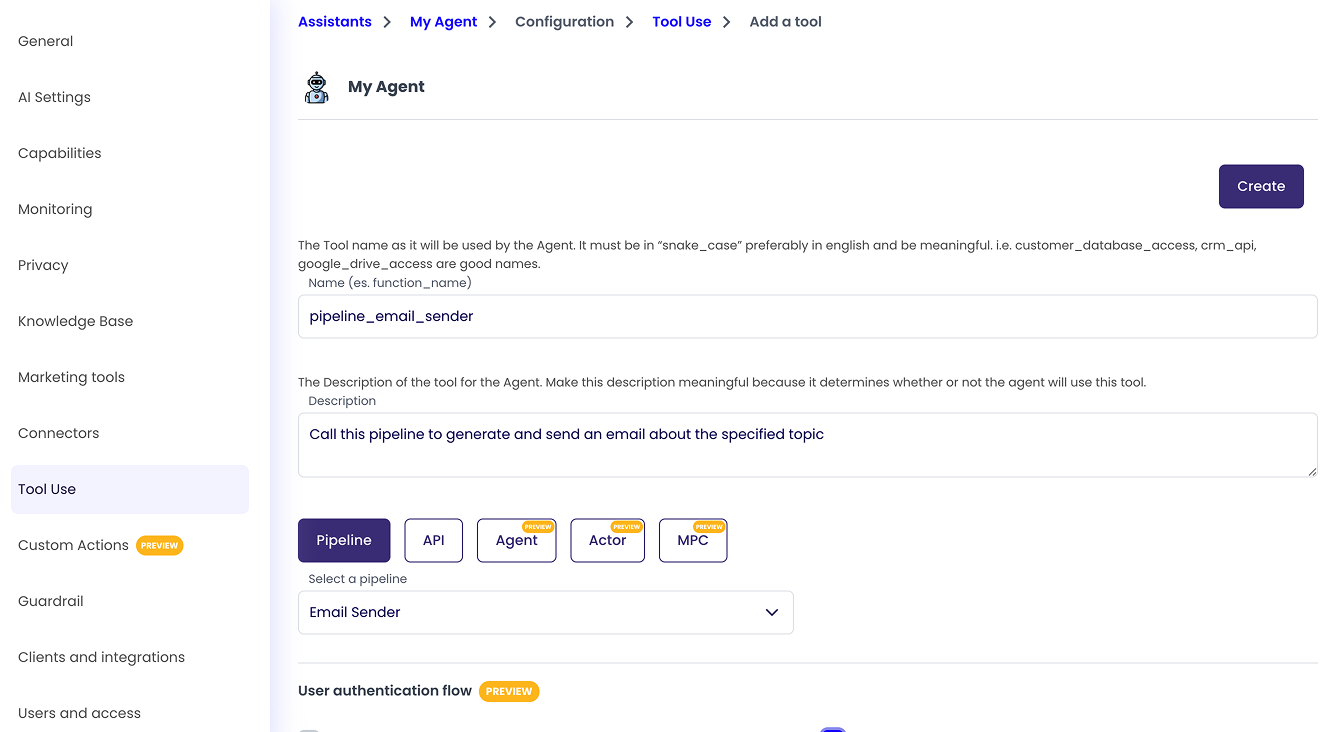
As every Tool it is mandatory to assign a name and a description to the tool.
In order to use a Pipeline as Tool it is only required to select a Pipeline to use and configure any parameter we want to send to the Pipeline at Invocation Time
Parameters
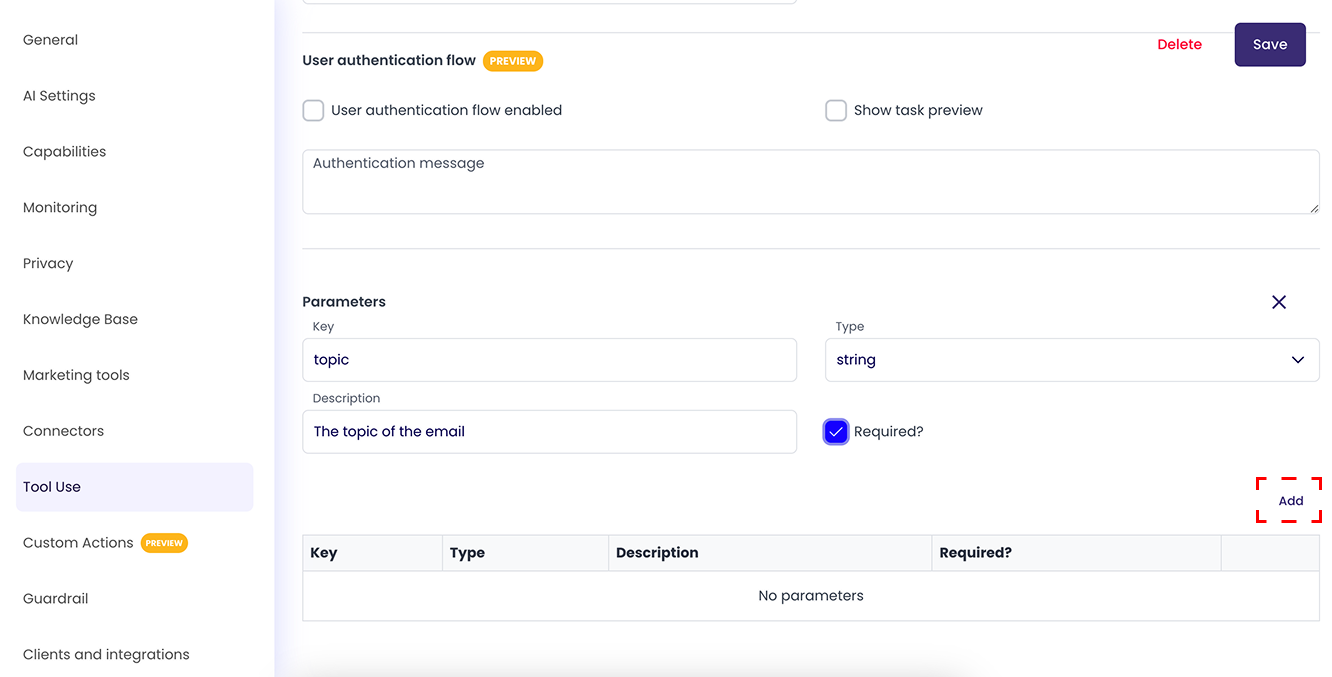
In the parameters section we can configure the information we want to send to the pipeline, with each parameter being a key - value pair of information.
The key value must be formatted in "snake_case" (only lowercase letters and underscores) and it represents the name of the value we want to pass to the pipeline.
The description value will tell the Agent how to generate the actual value of the parameter, a meaningful description will help the Agent understand how to generate the value better.
The type option field represents the type of value that will be passed to the pipeline, it can be string, number, boolean, array or object.
The required field tells the Agent if the parameter is required or optional in order to call the pipeline.
When your parameter configuration is done, press the 'Add' button in the bottom right corner to add the parameter.
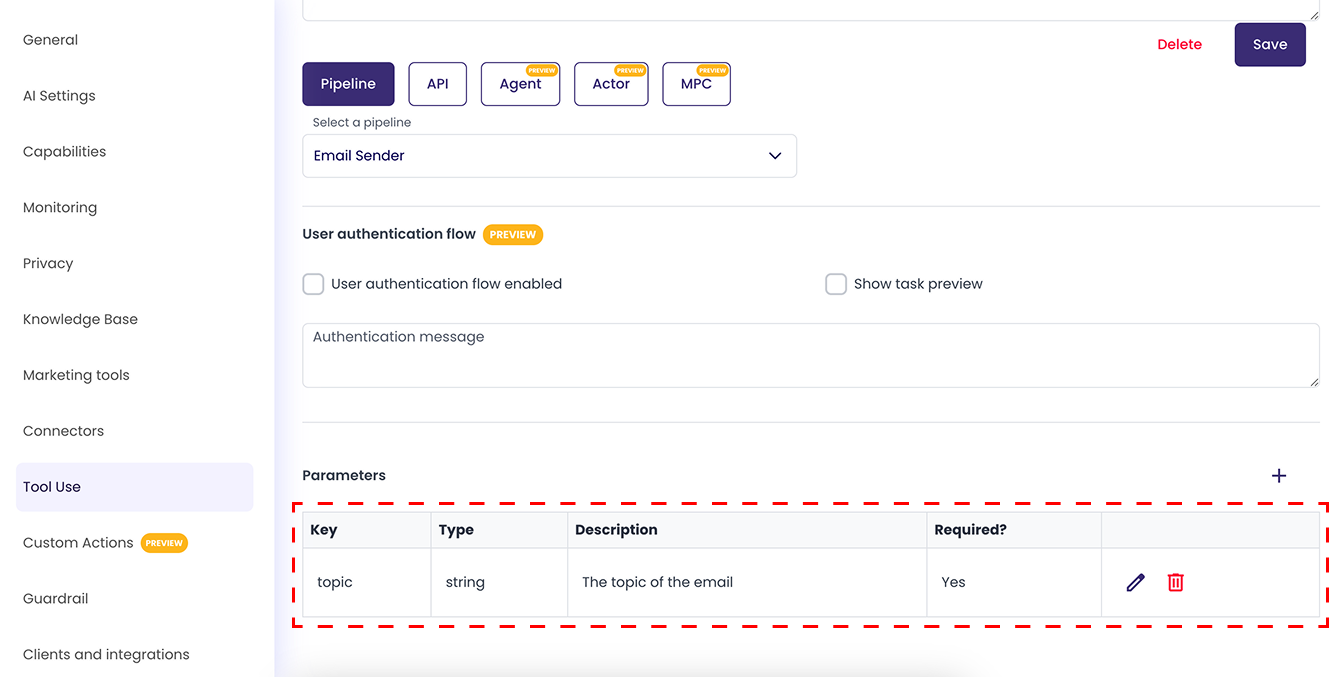
After that you will see the parameter you just created in the parameters list, where you can choose to edit or delete it if needed.