Tools from MCP Servers
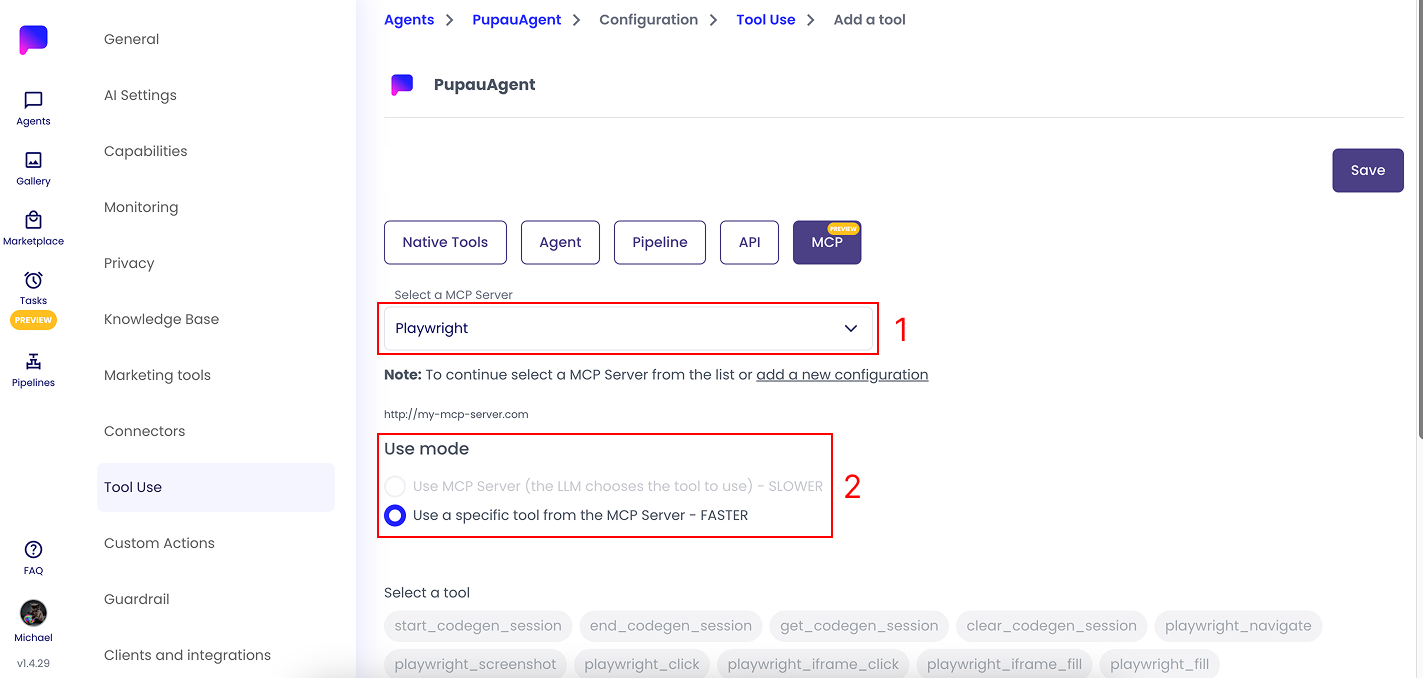
To create tools from your MCP Server integration go into your Agent Configuration, then into the section "Tool Use" and create a new Tool by clicking on the "Add a tool" button. After that choose "MCP" as the type of tool.
Now you will be able to select the MCP Server related to the tool you want to implement (1)
After choosing the MCP server, you can customize how it's used (2):
- A faster mode where you only select the tools you want to add to the Agent
- A slower mode where all tools are added to the Agent, and the LLM will be responsible for choosing the correct tool to use in any situation
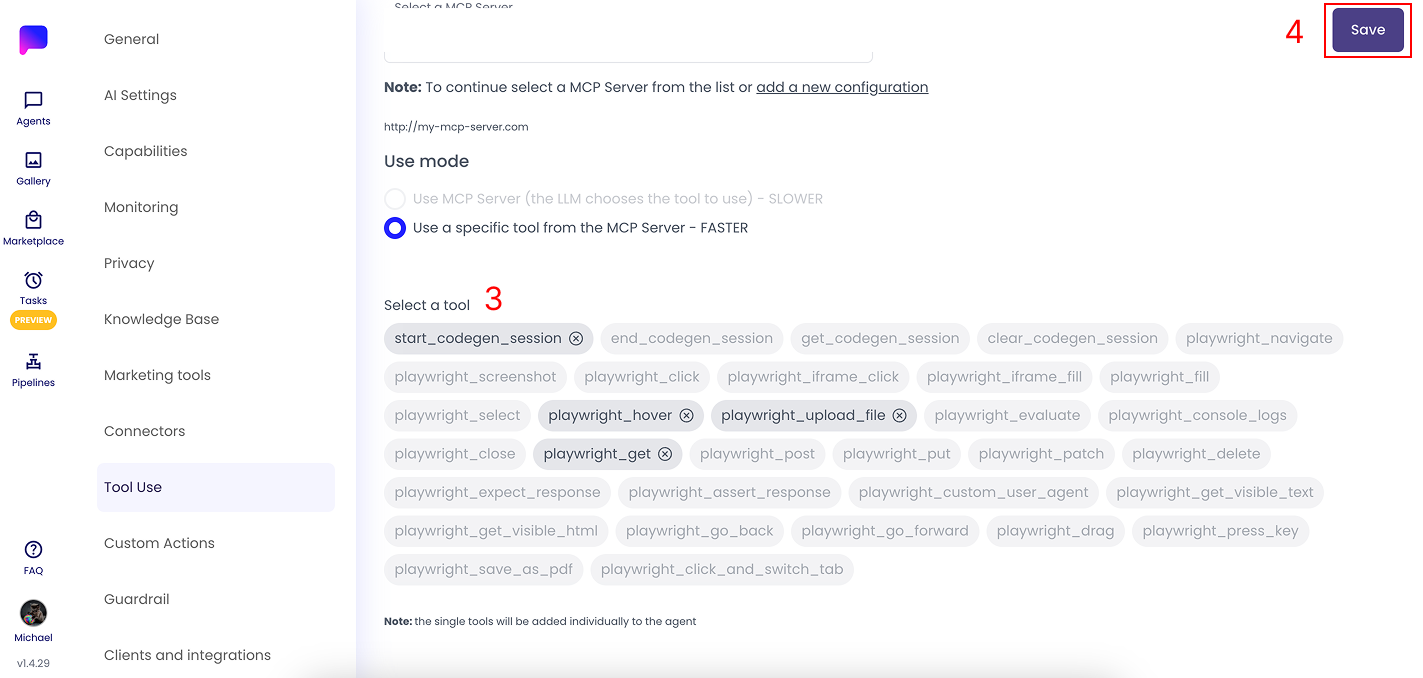
Afterwards you can select which of the tools you want to add to your Agent (3) and when you are done you can click the Save button (4).
Once saved you will see that each tool from the MCP Server has been saved as an individual Tool Use.
Your MCP Tools are now ready to be used.
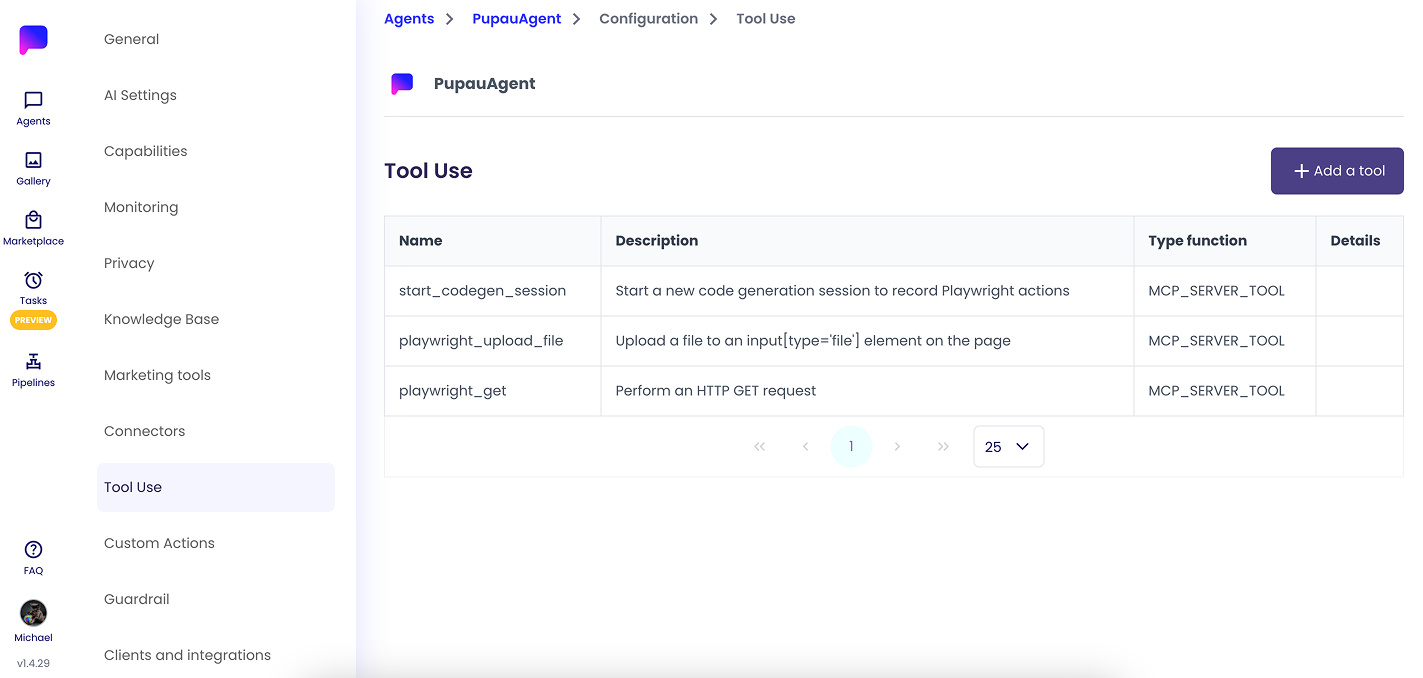
These tools will now be configurable inside the "Tool Use" section in your agents configuration. Follow the next guide to learn more.